# AsciiDoc to HTML, PDF and ePub rendering examples
Ok, [last time](https://blog.miguelcoba.com/asciidoc-is-the-better-markdown) I mentioned the advantages of AsciiDoc compared to simple Markdown for writing complex works like books.
I also said that you can use the same AsciiDoc source file and process it to generate different formats like HTML, PDF and ePUB.
Today I am going to show you how some basic and advanced elements appear in each output format.
Let's see some examples.
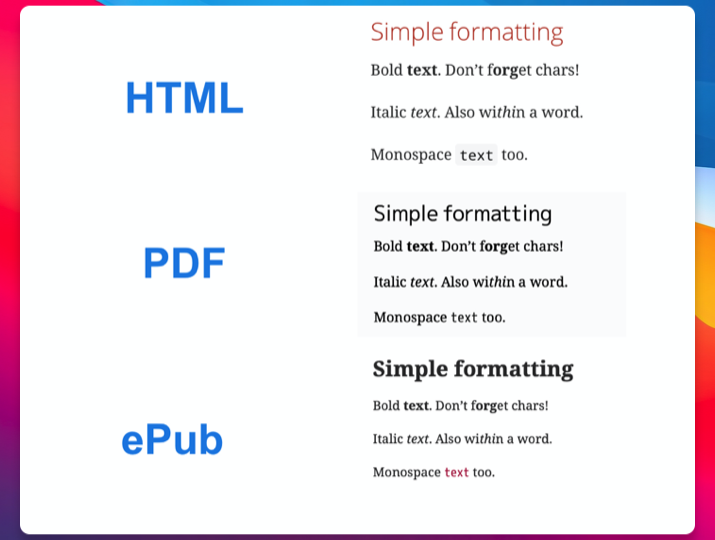
## Simple formatting
```
Bold *text*. Don't f**org**et chars!
Italic _text_. Also wi__thi__n a word.
Monospace `text` too.
```
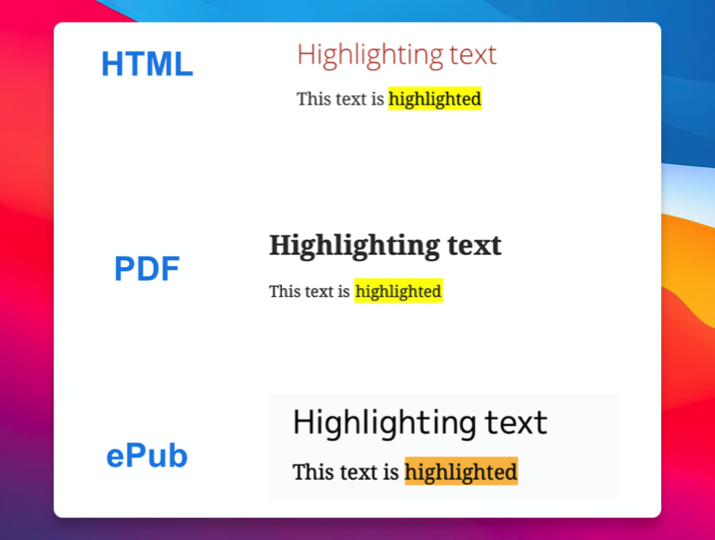
## Highlighting
```
This text is #highlighted#
```
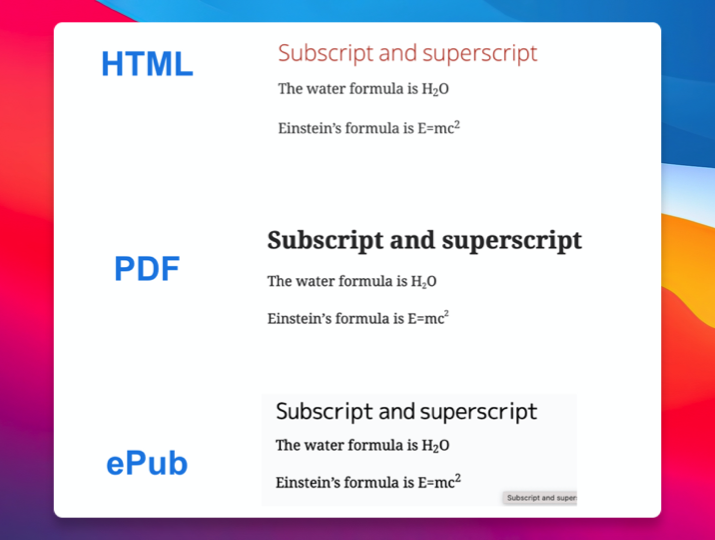
## Subscript and superscript
```
The water formula is H~2~O
Einstein's formula is E=mc^2^
```
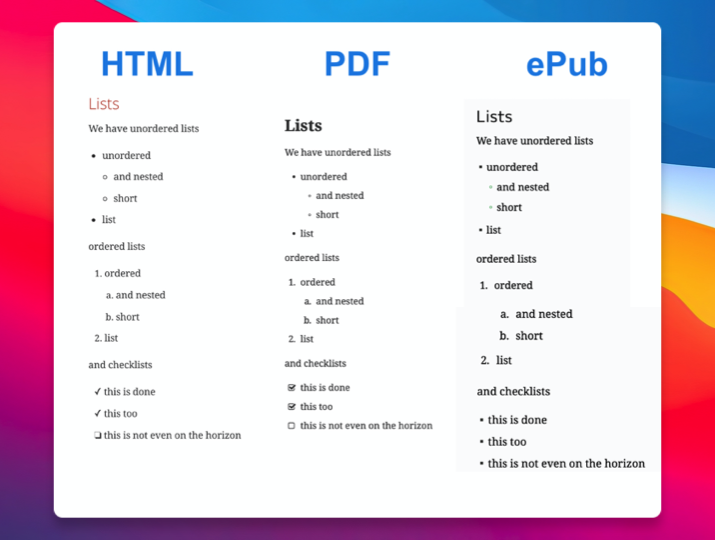
## Lists
```
We have unordered lists
* unordered
** and nested
** short
* list
ordered lists
. ordered
.. and nested
.. short
. list
and checklists
* [*] this is done
* [x] this too
* [ ] this is not even on the horizon
```
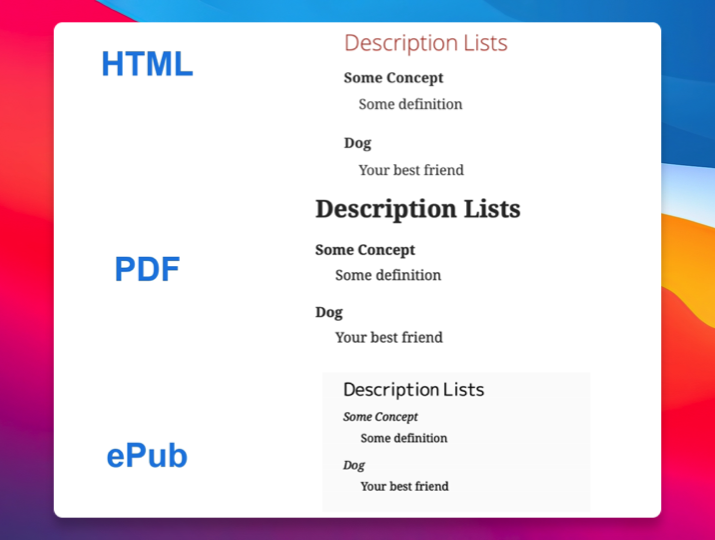
## Description List
```
Some Concept:: Some definition
Dog:: Your best friend
```
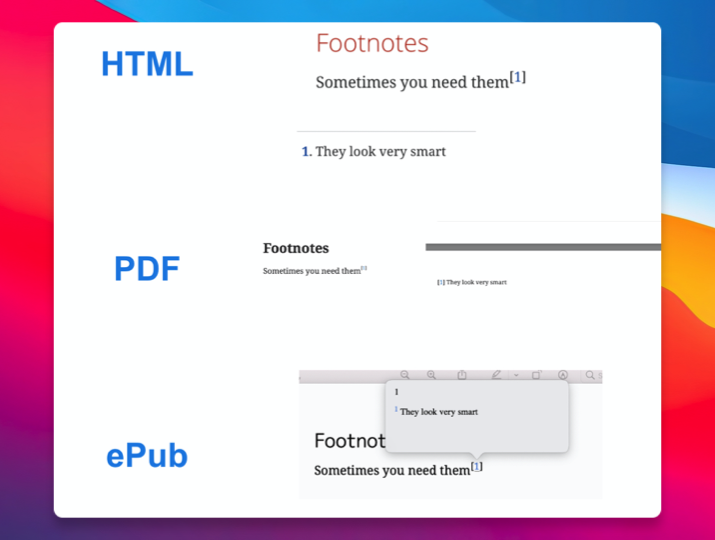
## Footnotes
```
Sometimes you need themfootnote:[They look very smart]
```
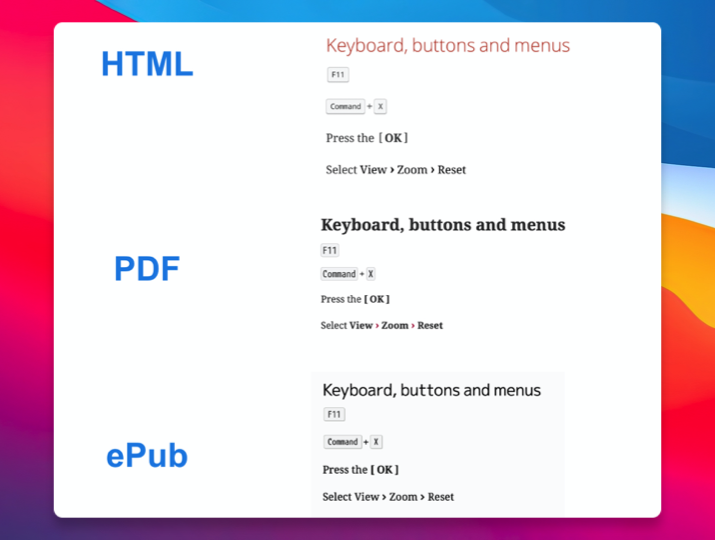
## Keyboard, buttons, and menus
```
kbd:[F11]
kbd:[Command+X]
Press the btn:[OK]
Select menu:View[Zoom > Reset]
```
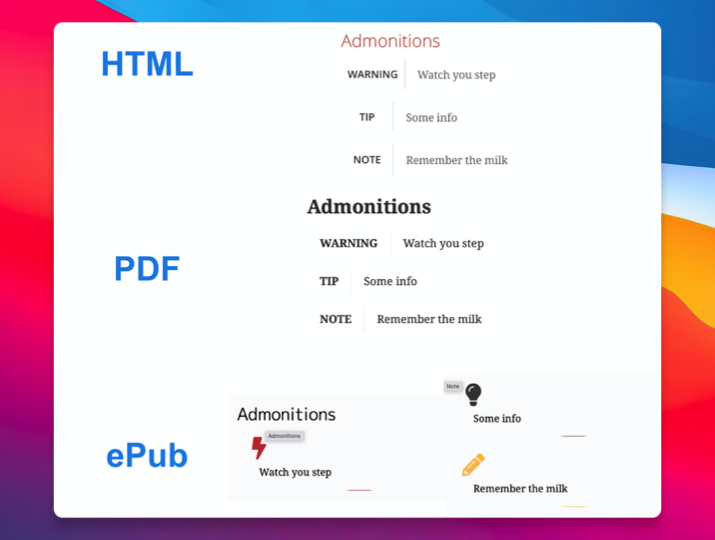
## Admonitions
```
WARNING: Watch you step
TIP: Some info
NOTE: Remember the milk
```
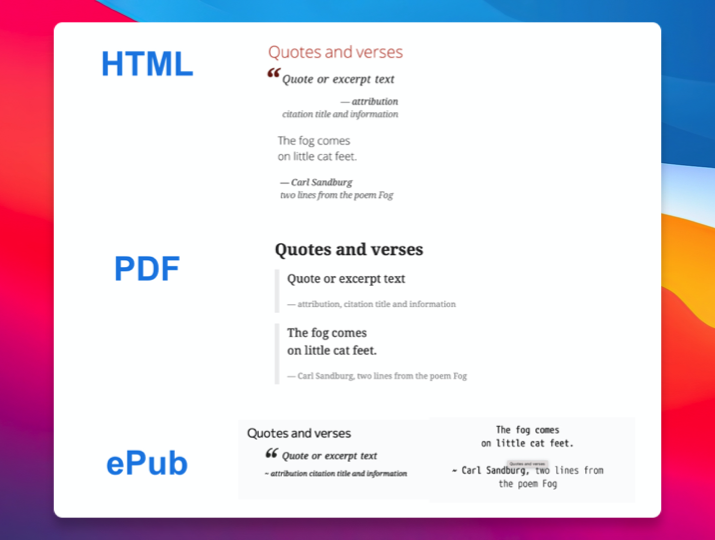
## Quotes and verses
```
[quote, attribution, citation title and information]
Quote or excerpt text
[verse, Carl Sandburg, two lines from the poem Fog]
The fog comes
on little cat feet.
```
## Equations and formulas
```
stem:[sqrt(4) = 2]
stem:[[[a,b\],[c,d\]\]((n),(k))]
```
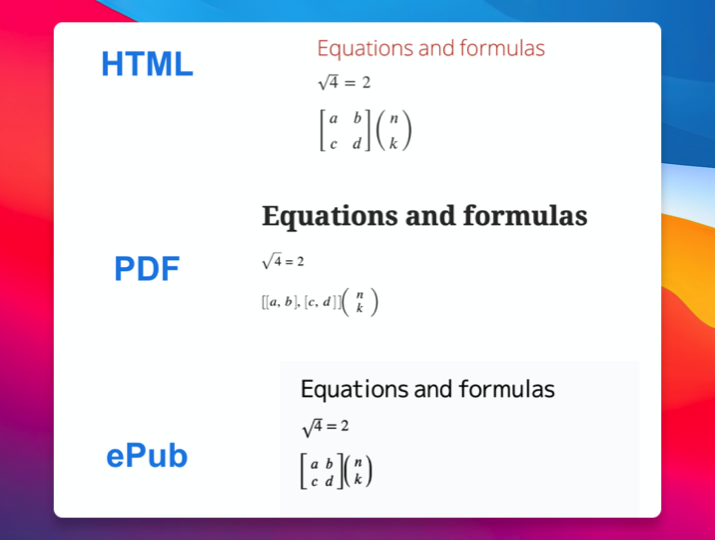
As you can see, it is worth investing in writing in AsciiDoc as this allows you generate a full range of popular formats like HTML, PDF, ePub, DocBook, among others. Here I showed you how it looks in PDF and ePub formats that are very popular in the eBook world.
One more thing, the output can be further customized by tweaking the style used to generate the output so you can even get a different ePub or PDF visual style from the same source by changing the default styles the AsciiDoc processor uses to generate its output.
I'll talk about that in a future post.
## About
I'm [Miguel Cobá](https://miguelcoba.com). I write about Elixir, Elm, Software Development, and eBook writing.
- Follow me on [Twitter](https://twitter.com/MiguelCoba_)
- Subscribe to my [newsletter](https://newsletter.miguelcoba.com)
- Read all my articles on my [blog](https://blog.miguelcoba.com)
- Get my books:
- [100 Elixir Tips](https://store.miguelcoba.com/l/100elixirtips) [FREE]
- [Deploying Elixir](https://store.miguelcoba.com/l/deployingelixir) [FREE]
- [Deploying Elixir: Advanced Topics](https://store.miguelcoba.com/l/advancedtopics)
- [eBook Writing Workflow for Developers](https://store.miguelcoba.com/l/ebookwriting)